Add a basic page
Introduction
This page describes how to create a basic page in Drupal, the School’s website content management system (CMS).
Content
1. Create a new basic page
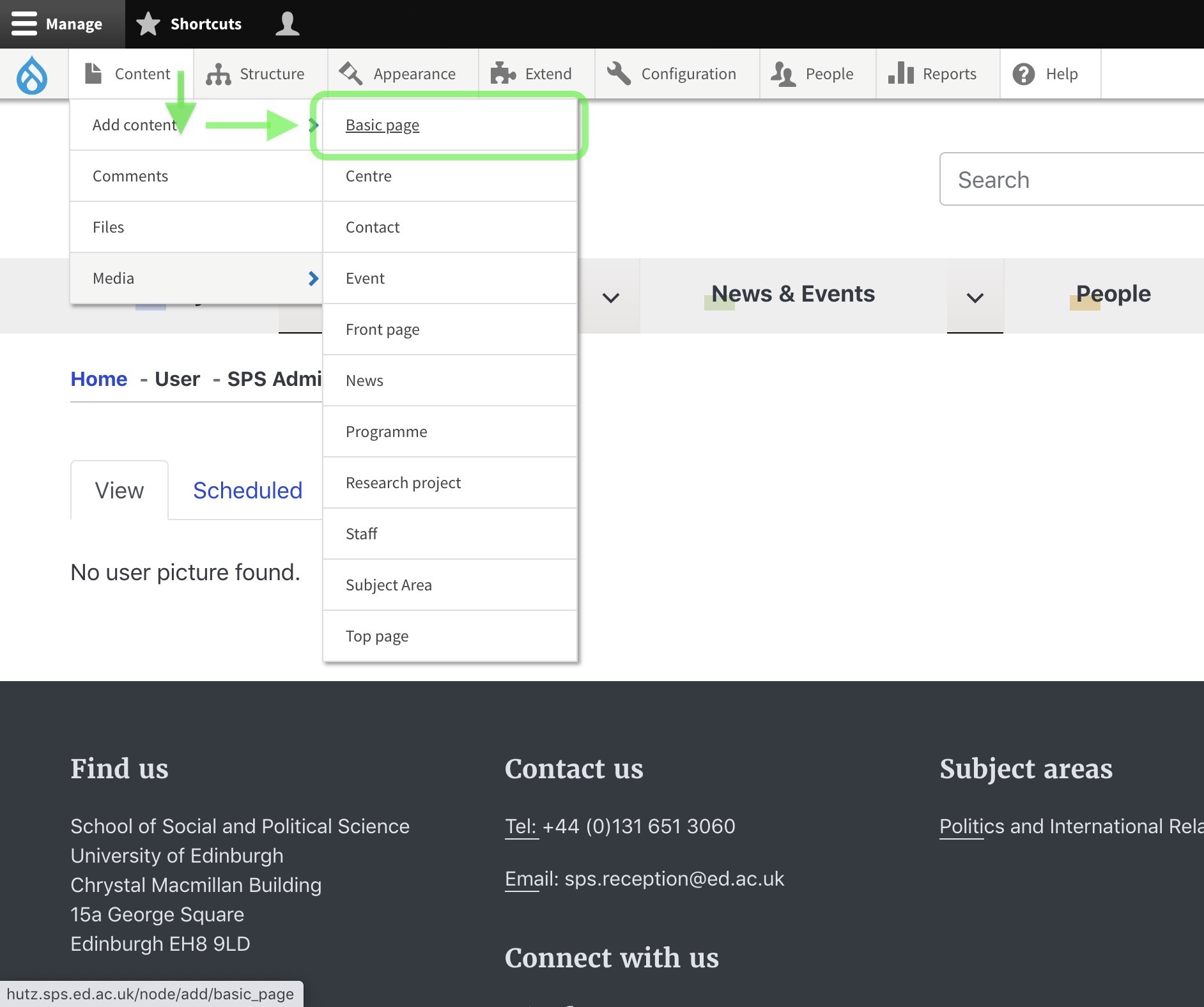
- Click ‘Content’ in the menu bar.
- In the dropdown menu click ‘Add content’.
- Next select ‘Basic page’.
2. Add content to the page
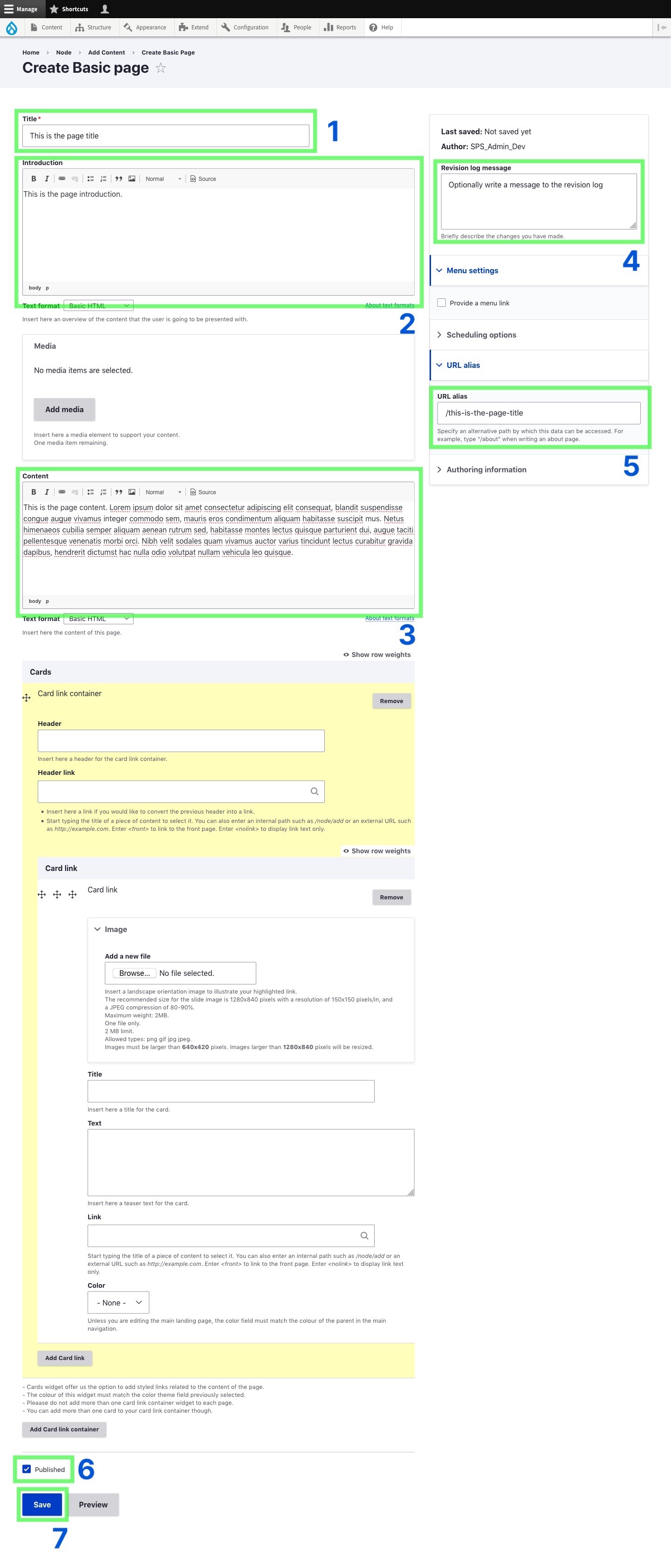
- In the ‘Title’ field add the page title.
- In the ‘Introduction’ field add a brief introductory paragraph.
- In the ‘Content’ box add the page content.
- In the ‘Revision log message’ field you can optionally add a message such as ‘Creating new page for <purpose>’.
- In the ‘URL alias’ field you can specify a path for the page, e.g. /social-anthropology/about/this-is-the-page-title.
- Check the ‘Published’ checkbox if you’d like to publish the page now. If the box is unchecked the page will be saved as a draft which you can publish later.
- Click Save to either save and publish the page, or save as a draft.
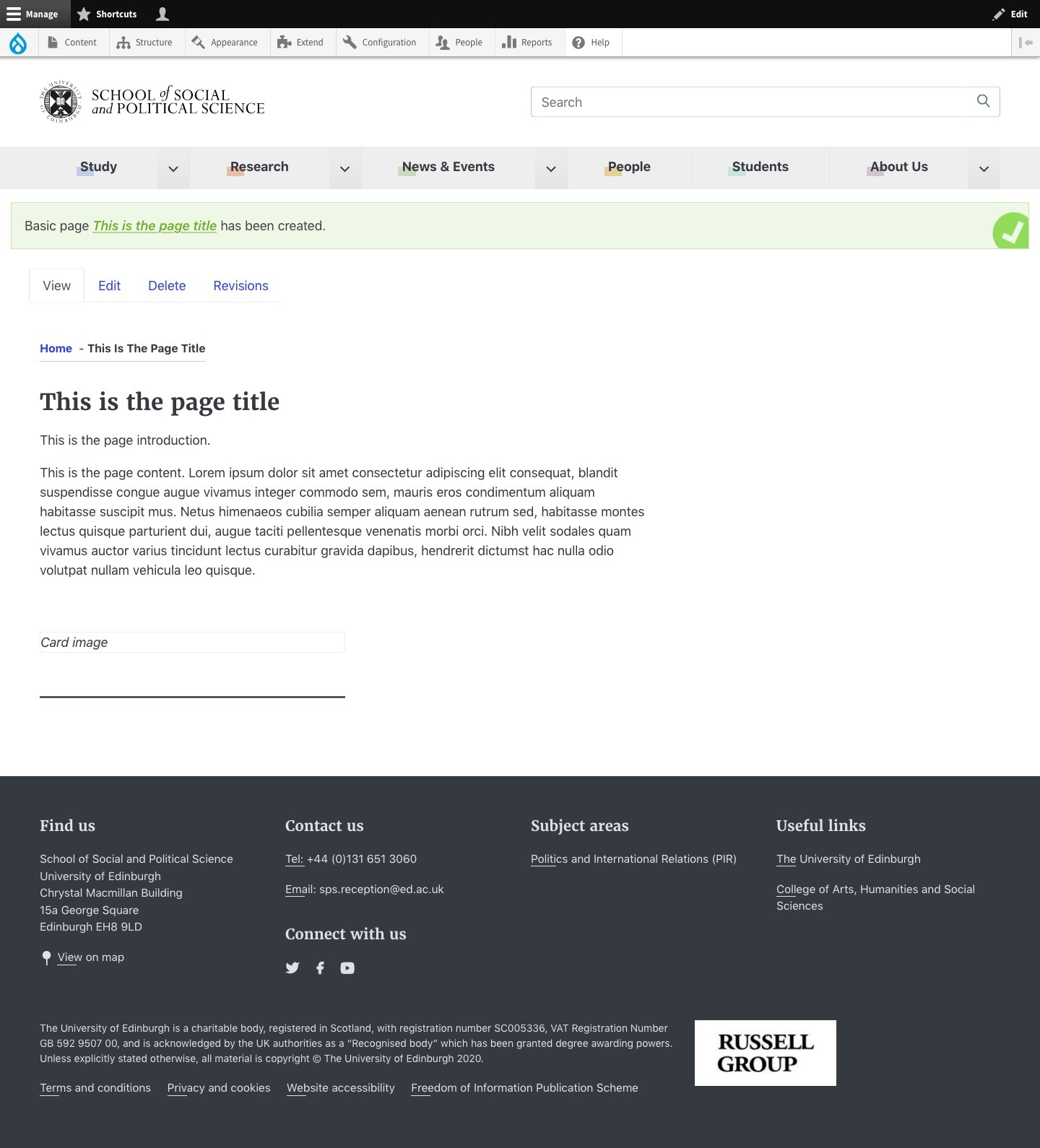
3. The page has been created